To make DeepNToxPred easy to use for experimental scientists, we provide a public web server. The guide below shows how to obtain predictions without any knowledge of the underlying deep learning method.
-
Step 1Open the DeepNToxPred homepage at https://balalab-skku.org/DeepNToxPred/.
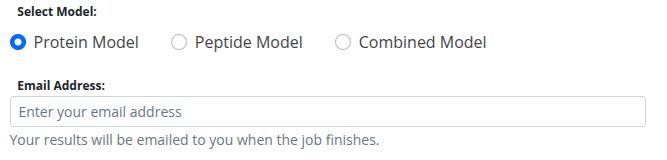
Select the model that matches your data (Protein Model, Peptide Model, or Combined Model) and enter a valid email address to receive the results.
-
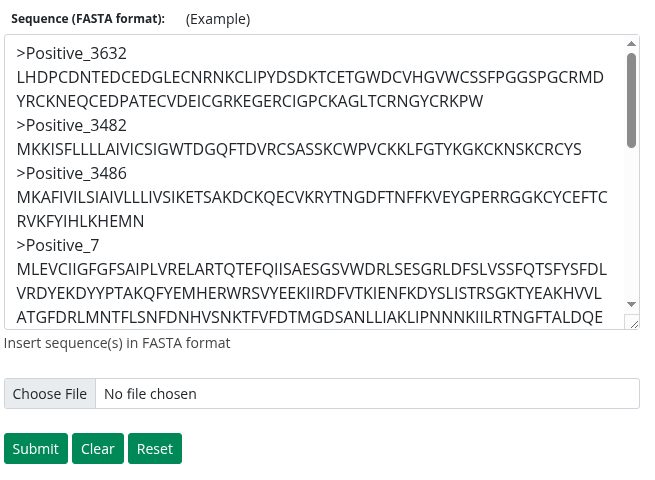
Step 2Enter your sequences by pasting them into the text box or by uploading a file with the "Choose File" button. All sequences must be in FASTA format; other formats will cause an error. To see how it works, click the "Example" button to load sample sequences.
-
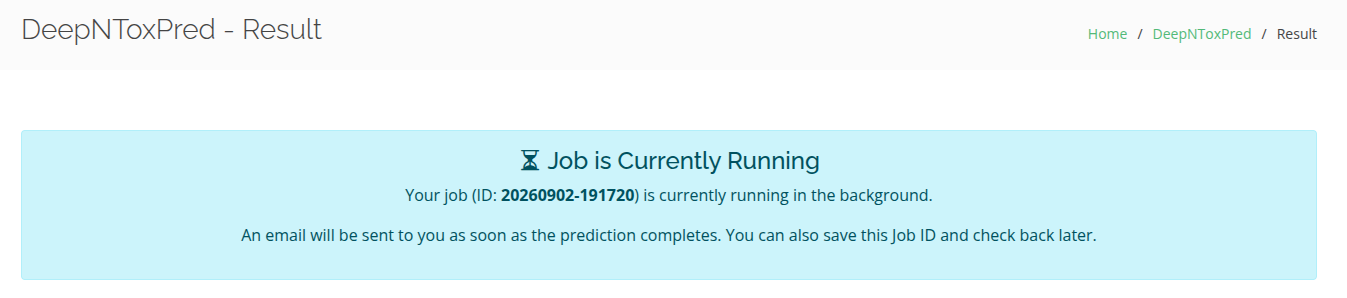
Step 3Click "Submit" to send your sequences to the server. Because the protein language models are computationally demanding, prediction may take several minutes. The job runs in a background queue, and you will be redirected to a status page showing that it is in progress.
-
Step 4You can close the status page at any time. When the job finishes, an email is sent to the address you provided. It contains a link to the results page and a CSV file with the predictions attached.
-
Step 5If you saved your Job ID, you can also retrieve results later from the homepage using the "Find Job" search box.

-
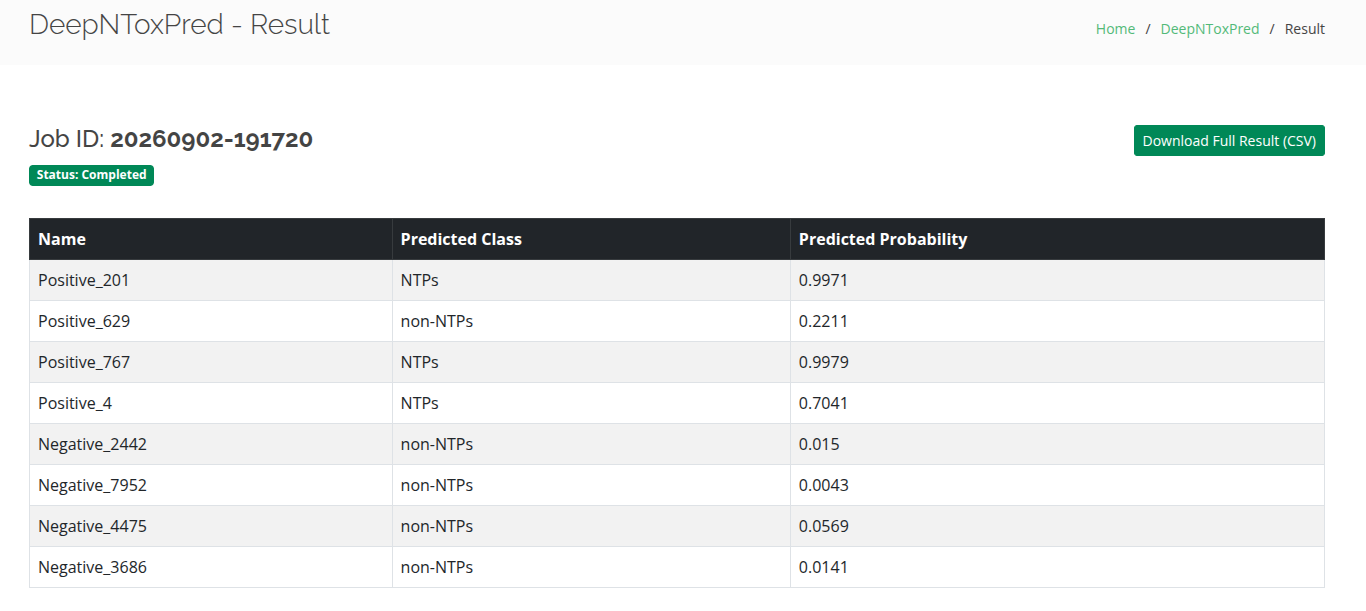
Step 6Results are shown in a table with four columns: the index number, the sequence name from the FASTA header, the predicted class (NTPs or non-NTPs), and the predicted probability. Click "Download Full Result (CSV)" to save the table to your computer.